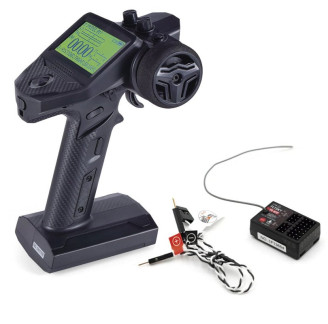
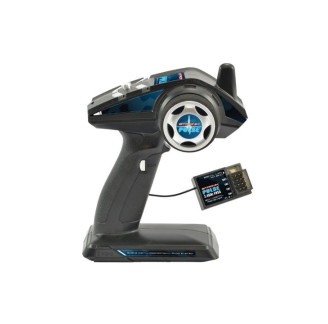
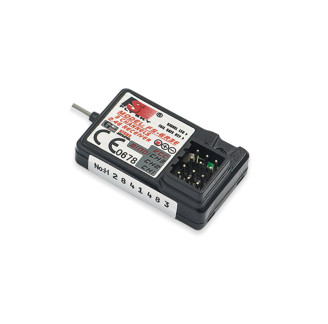
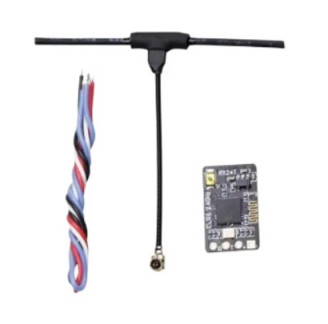
Receptor 2.4G 4CH D8 D16 compatível c/ saída PWM p/ FRSKY,Futaba,Jumper T16 X9D
Receptor 2.4G 4CH D8 D16 compatível c/ saída PWM p/ FRSKY,Futaba,Jumper T16 X9D
Item description:
Frsky 4CH Receiver:
Operating frequency: 2400MHz-2483.5MHz
Operating mode: Frequency hopping propagation spectrum
Operating voltage: 5V
Operating current: <25mA (+8.0V)
Output channel: 4CH PWM
Size: 27.7*12.7*10mm
Weight: <1.2g (without pins) <2.4g (with pins)
Note: The weight with pins is related to the solder, between 2.0g-2.5g.
Distance:
Futaba(14sg) >150 meters(land) >500 meters (air)
Frsky (X7) >250 meters (land) > 650 meters (air)
Note: Distance testing is a very complex matter and is related to weather, electromagnetic environment, remote control antenna height (direction), receiver antenna position (direction and height), etc. The distance parameters we provide are for reference only.
How to link:
1. Turn on the receiver; the LED will flash slowly. Press the power button for about 1 second; the LED will flash rapidly, indicating that the receiver is in connection mode.
2. Turn on remote control
A. Futaba double-leaf remote control (plate control) select the S-FHSS system, (gun control) select the S-FHSS or S-FHSS NORM system.
B. Frsky remote control, select system D8/D16, configured to enter link mode.
C. Remote control Jumper selects frsky/frskyX system, configured to enter link mode.
3. Recipient Status
A. Futba Double Sheet Mode: The indicator light changes from flashing rapidly to a steady light, and the code is successfully matched.
B. Frsky/Jumper Mode:
The indicator light changes from fast flashing to slow flashing, the remote control exits Bind mode, the indicator light is always on, and the code matching was successful.
Signal output:
CH1-AIL (Aileron) CH2-ELE (Lift) CH3-THR (Throttle) CH4-RUD (Steering)
Notice:
Jumper remote control T8SG binding:
Since the T8SG uses the linking channel in normal Frsky D8 operating mode, to link the jumper in Frsky D8 mode, you need to:
1. First, turn on the remote control to enter connection mode.
2. Turn on the receiver and press the power button to enter connection mode.
3. If the receiver pairs successfully, the LED light will change from fast flashing to slow flashing.
4. The remote control exits connection mode; the LED on the receiver remains lit, indicating a successful connection.
transmissor-horizontal-para-3-orificios--ajustador-de-metal-vertical-e-horizontal-para-correia-de-pescoco-em-futaba-radiolink-c
Radio 3ch digital programavel Fly Sky FS-GT3C 2.4 GHz com receptor FS-GR3E
Rádio digital FlySky FS-i6S 10 canais,Ecrã Tátil C/ receptor FS-iA10B
transmissor-horizontal-para-3-orificios--ajustador-de-metal-vertical-e-horizontal-para-correia-de-pescoco-em-futaba-radiolink-c
Futaba T16IZ-SUPER Radio Mode-2, R7208SB FASSTest, T-FHSS, S-FHSS
Receptor 2.4G 4CH D8 D16 compatível c/ saída PWM p/ FRSKY,Futaba,Jumper T16 X9D